Your work deserves this.
A private drive for everything you make. Links load from the closest of 11 regions, and video plays the second someone clicks. The bandwidth's on us.
- Served from
- 11 regions
- CDN to set up
- None
- Files up to
- 2 TB
- Plans from
- $5a month
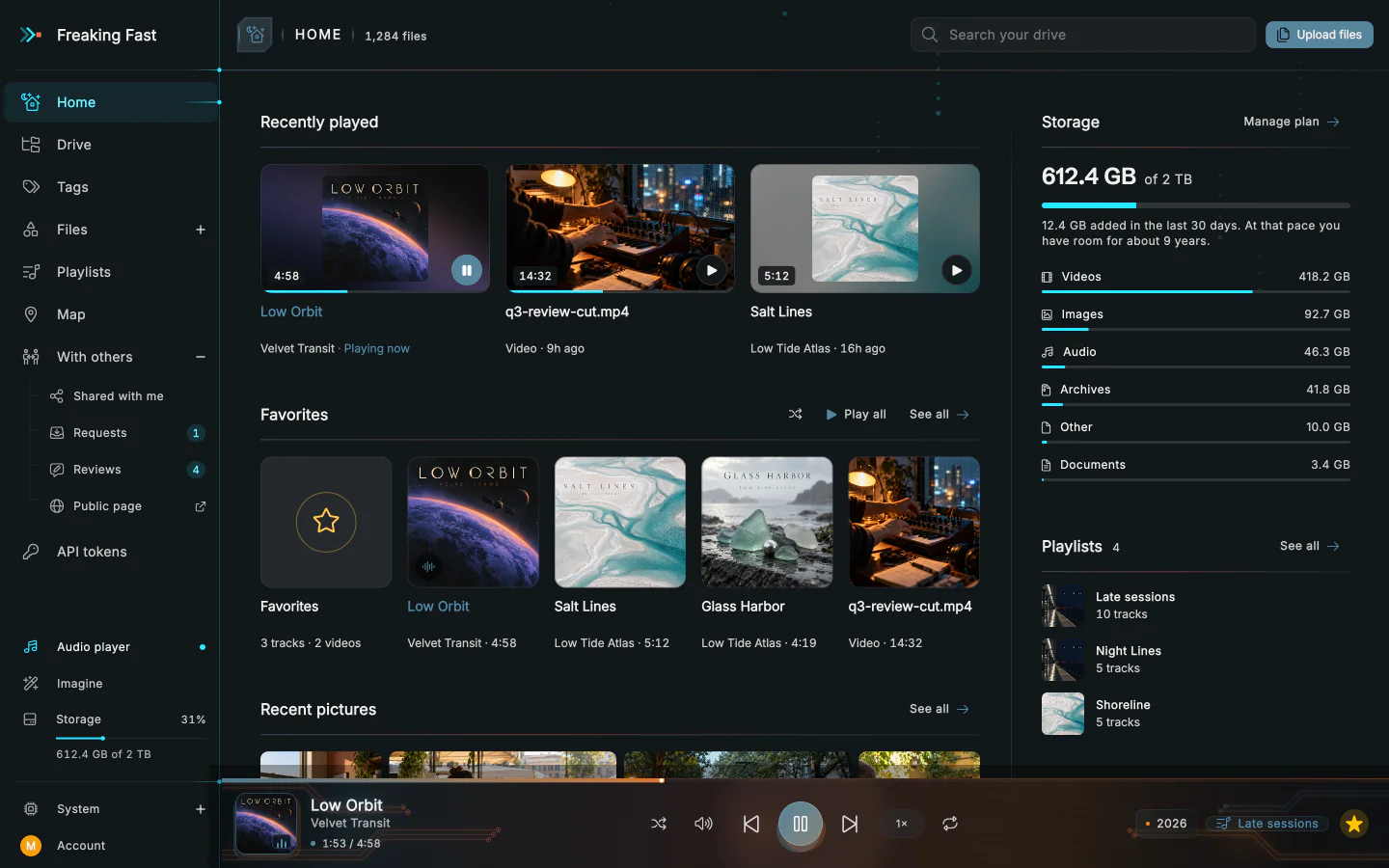
Nobody should have to wait to press play.
Your links play anywhere a video or a song can: a web page, a podcast feed, VLC. Tokyo isn't waiting on London.
- A link that stays put
- Put it in a podcast feed and it'll still work years from now.
- Skip ahead without waiting
- Jump an hour into a long video and it plays from there.
- Share private files with temporary links
- Send the unreleased mix without putting it out into the world.
- No download or streaming fees
- We charge for storage, not traffic.
North America
Europe
Asia
South America
Africa
Oceania
A link should play, not download.
Copy and paste rich media links. Nobody needs an account.
- A page of your own
- Everything you've made public lives at fuckingfast.io/@yourname. That's the link for your bio.
- Embed the player
- Drop the player into your own site, blog or portfolio.
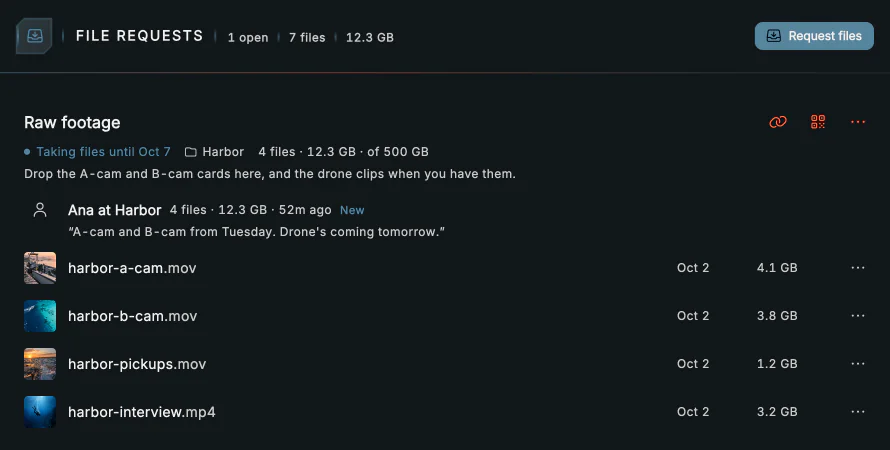
Collect files and feedback
Request files
Send a client a request link and their files land straight in your drive.
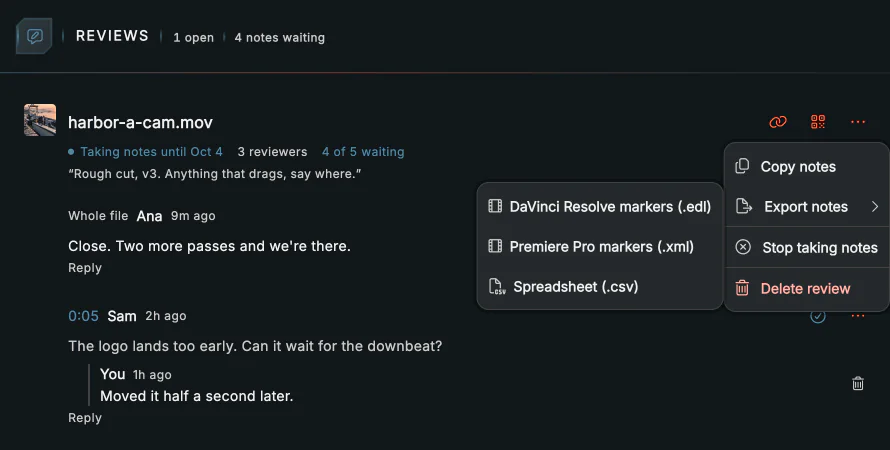
Get notes on a cut
Anyone with the link can watch the cut and leave notes right on the timeline. Then export them for Resolve or Premiere.
Your agent gets the same drive you do.
Ask Claude or ChatGPT to send someone a file and it hands back a link. Your own agents and scripts get the drive too.
Ask for it in plain words
Add the drive to Claude or ChatGPT as a connector and sign in. Then ask.
https://You decide how far it reaches
Let it read, organize, share or do everything, across the drive or in one folder, for as long as you like.
See everything it did
Every app you connect is listed in the drive with how far it reaches, when it stops and what it's waiting for. What it did is logged underneath.
You can disconnect it there any time.
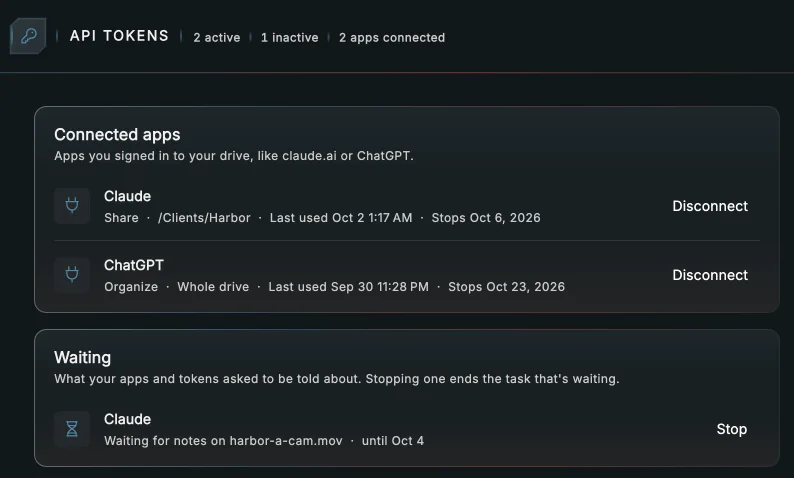
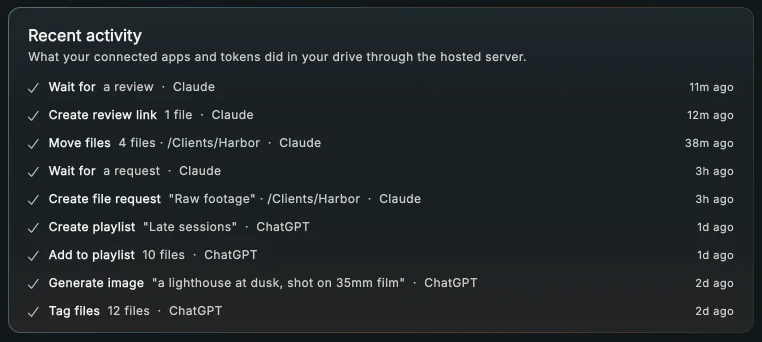
Hand off the jobs that take a while
Your own agent can give the drive a task and move on. It waits for the client's files or the reviewer's notes, then finishes the job.
How tasks workScript it from your terminal
Upload, sync and share from any script with the fffd CLI.
curl -fsSL https://curl -fsSL https://irm https://We treat your files like the work they are.
Everything starts private, and stays exactly as you made it.
Find things fast
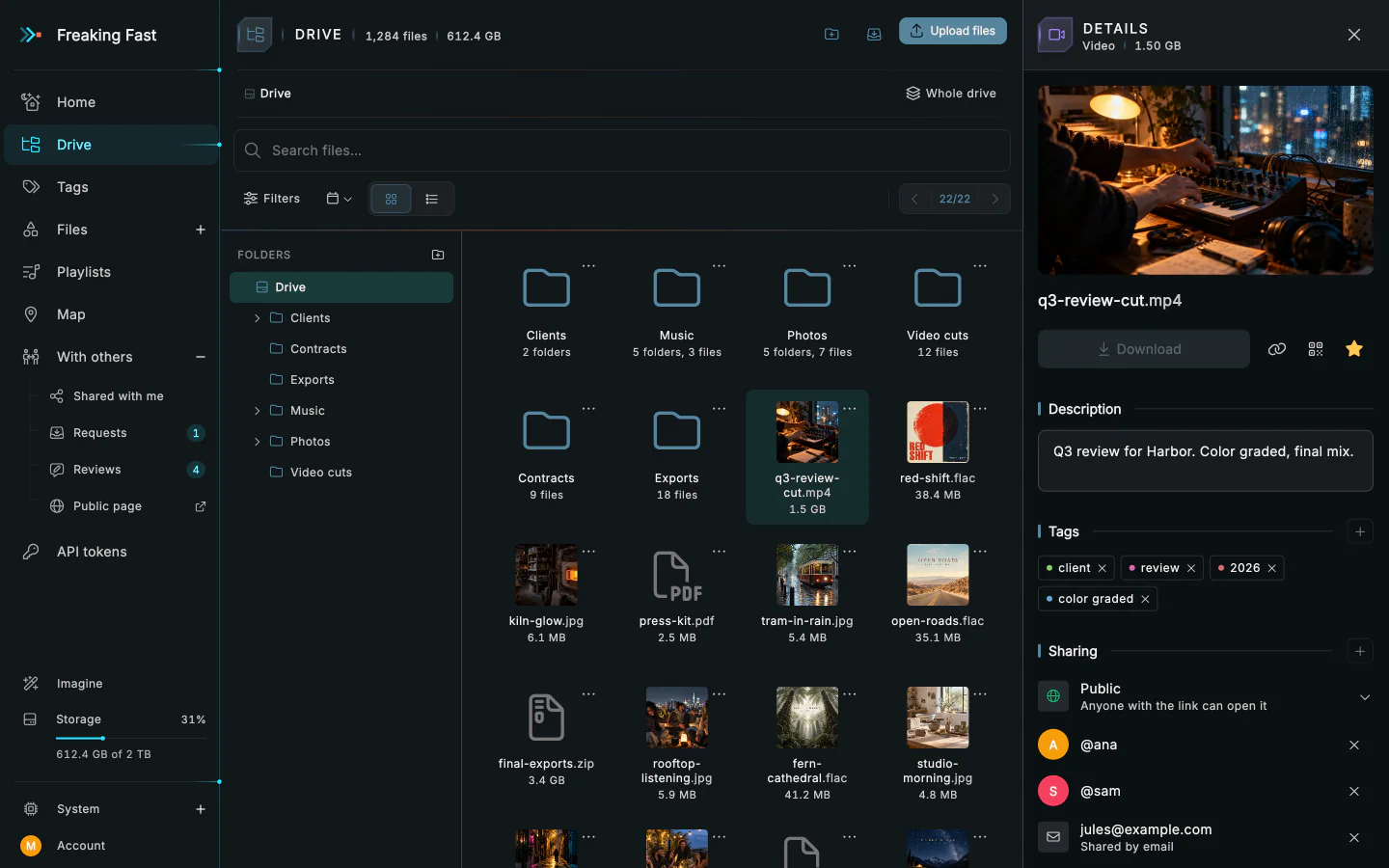
Tag things, file them in folders and star the ones you keep coming back to.
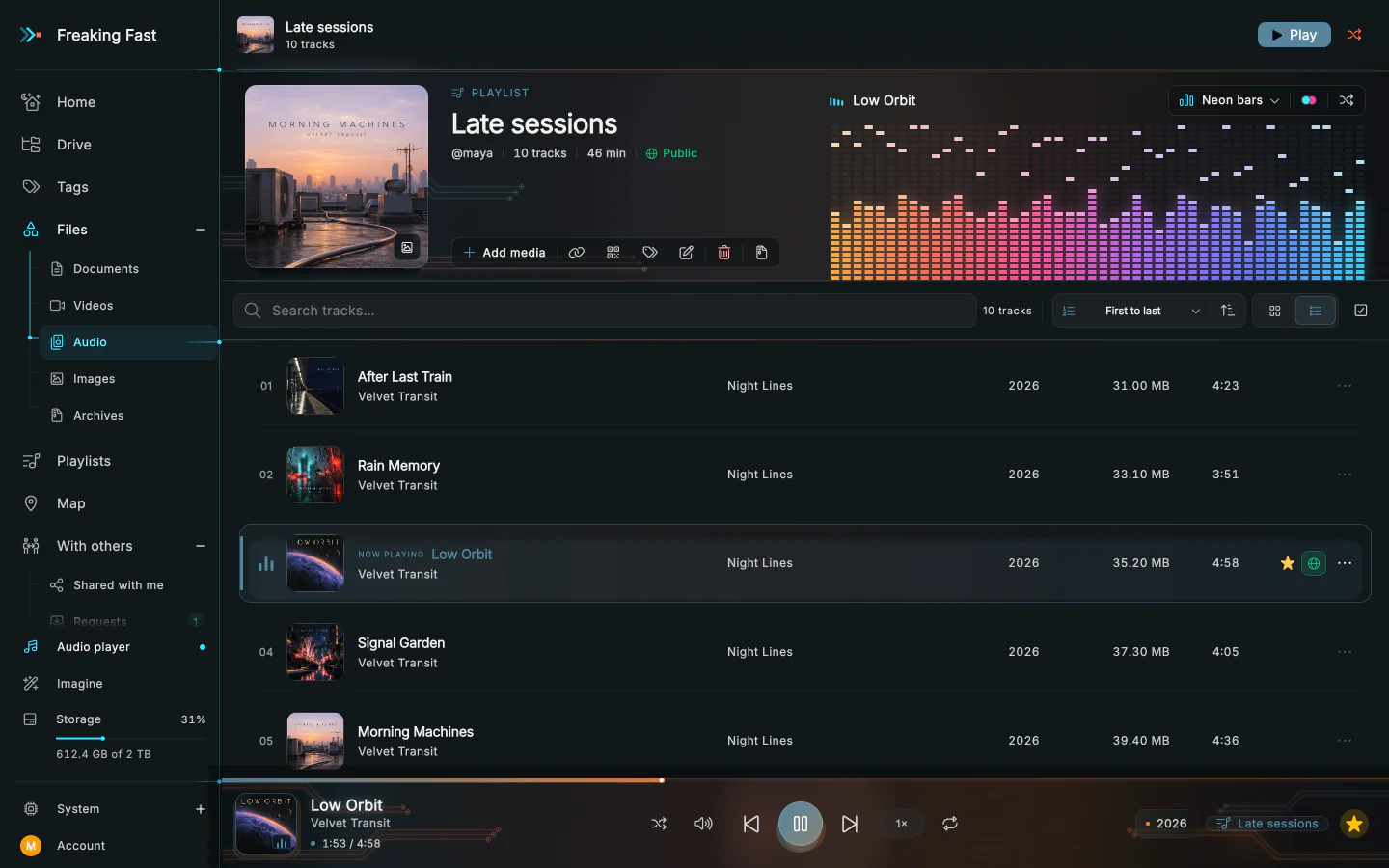
Playlists
Make playlists to share and embed.
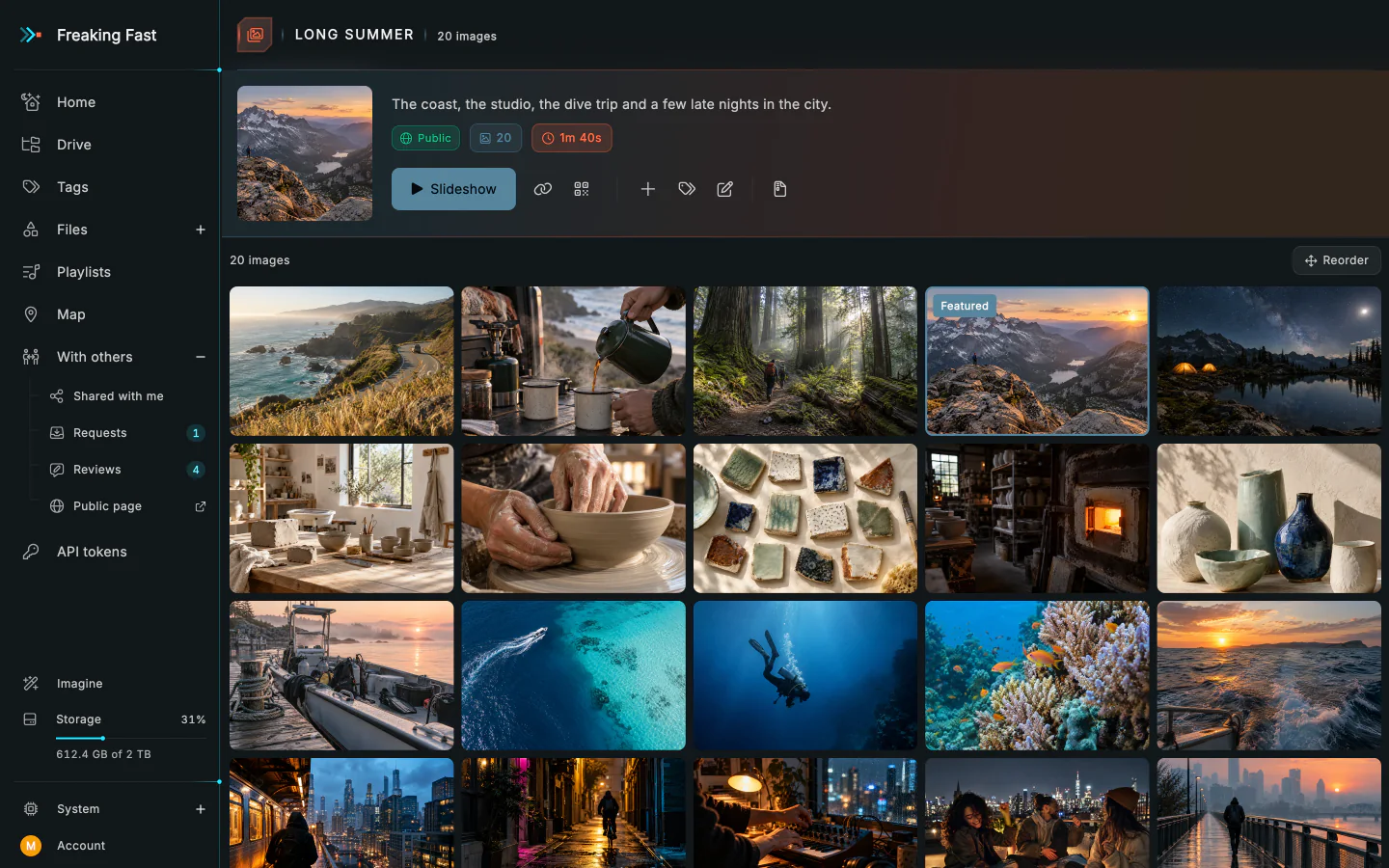
Galleries
Pull photos into a gallery and choose which ones go up front. Share it and it gets its own page.
Map and trips
Anything with location data lands on the map, where photos taken close together become trips.
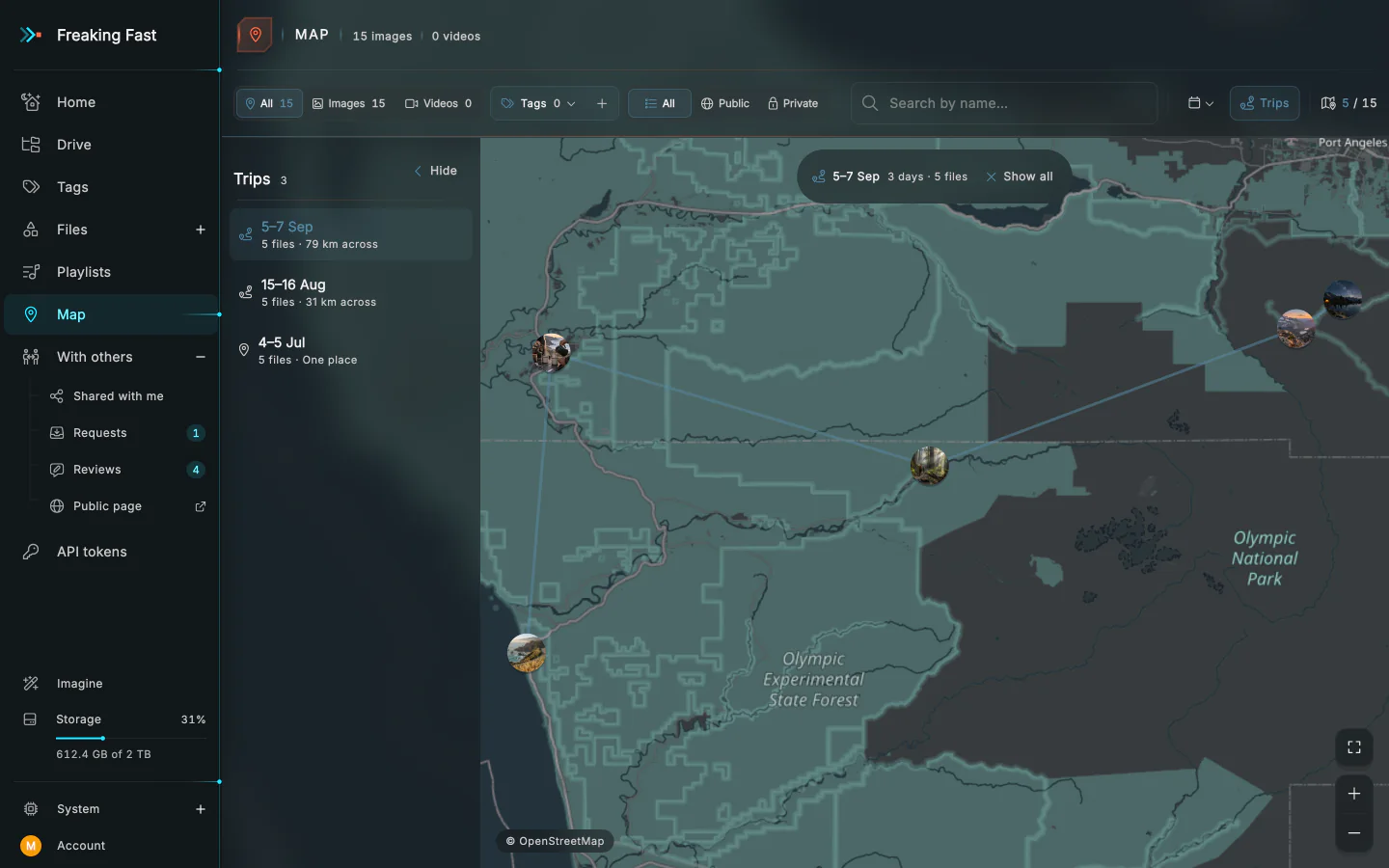
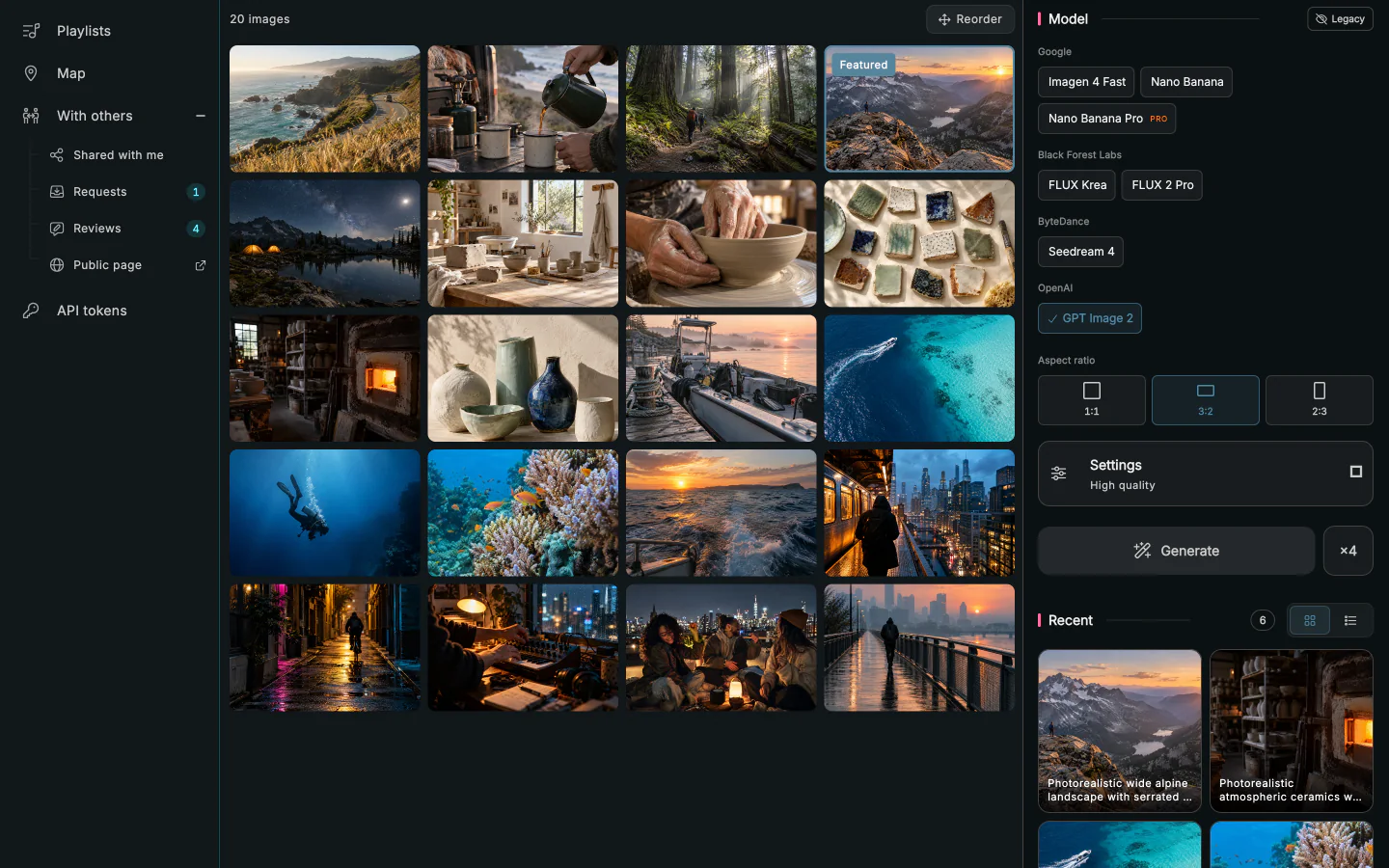
AI images
Describe what you want, pick a model, and the image lands in your library.
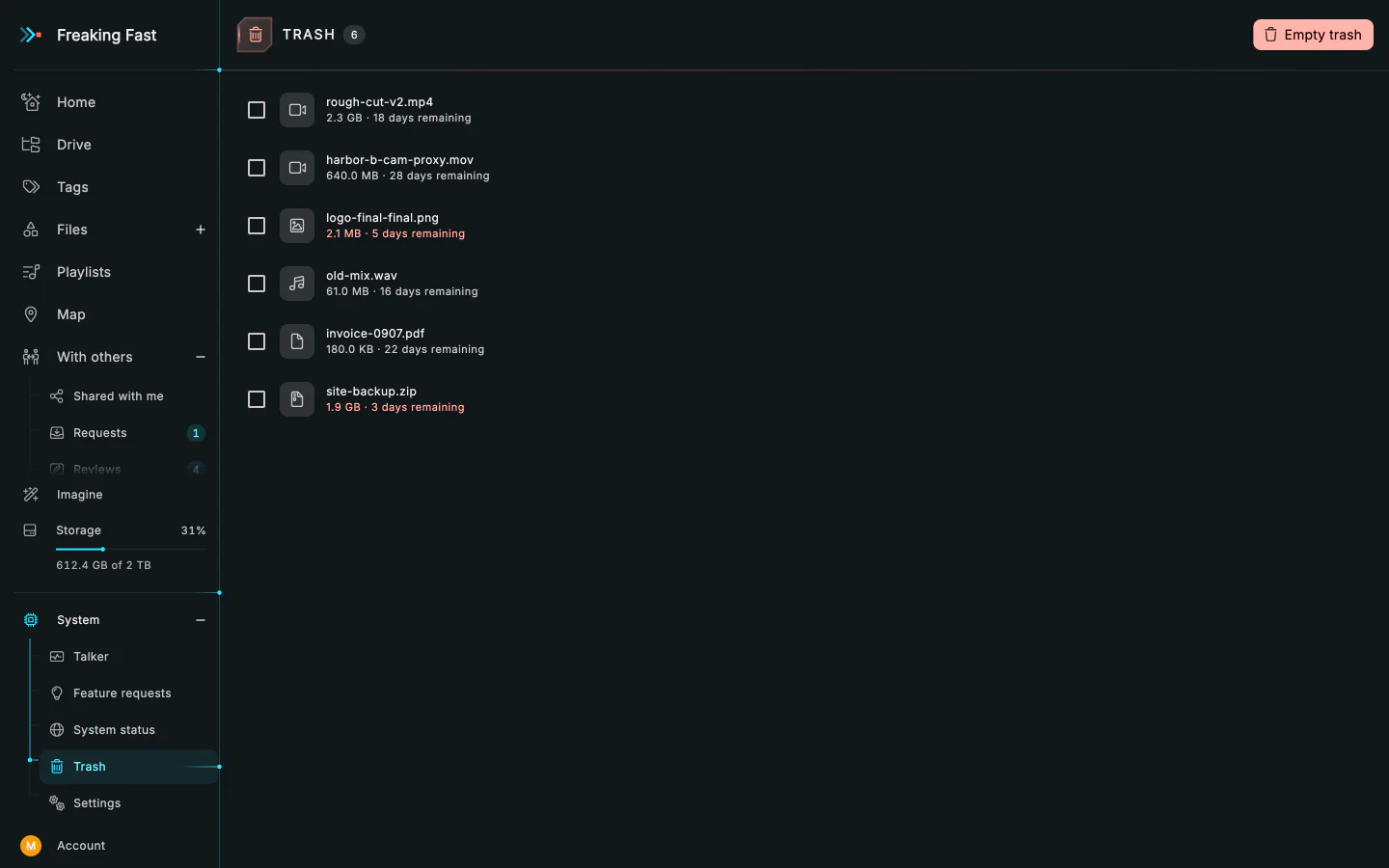
Undo a delete
Deleted files wait in the trash for 30 days.
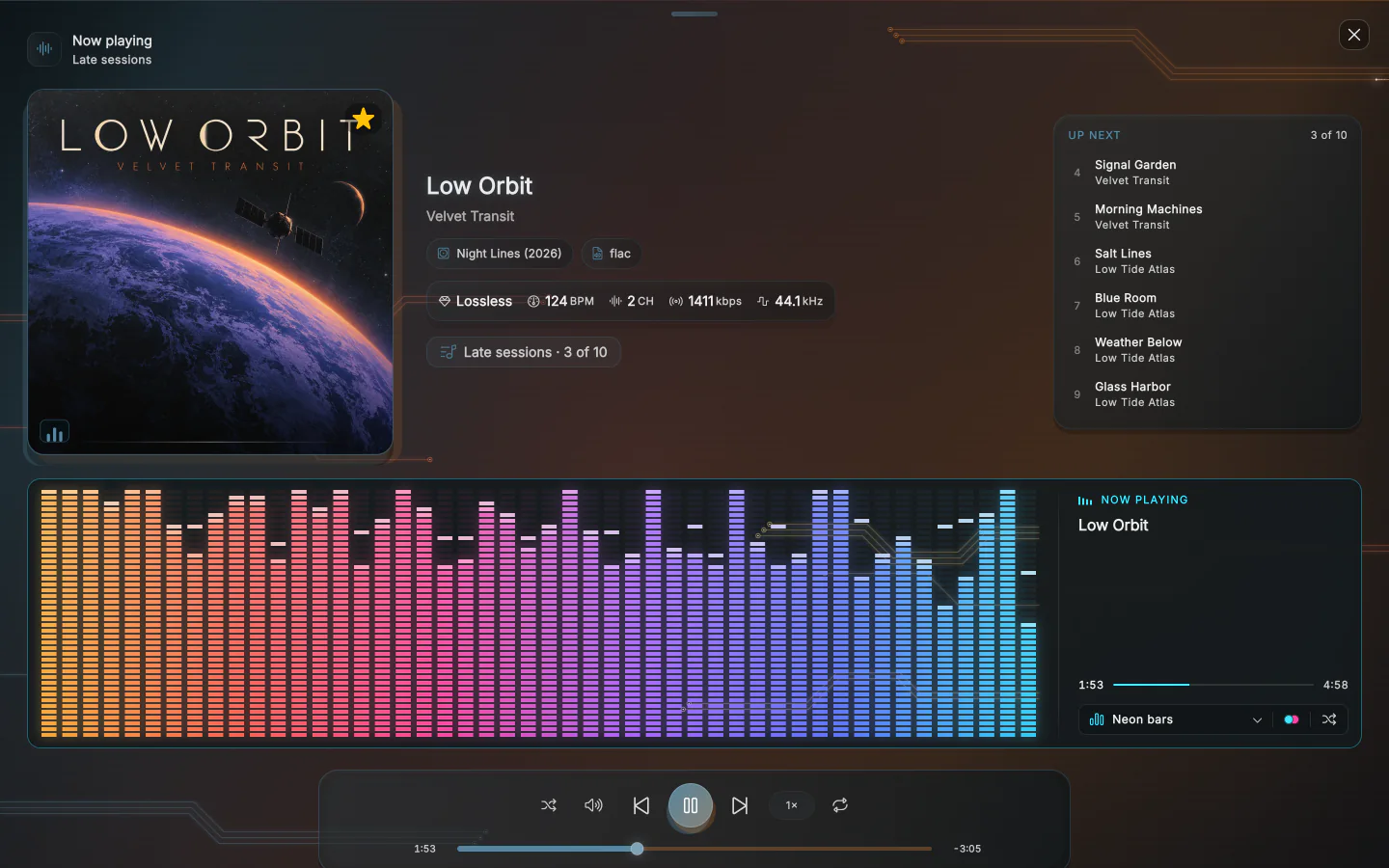
A track is more than a file.
Play a track and see its waveform, spectrum and beats.
You shouldn't need a CDN to share a video.
With most storage, a file lives in one region. To get it to people far away, you add a CDN, write a bucket policy and pay for the bandwidth. Here you upload it and send the link.
Where files live
- Fucking Fast
- In 11 regions on 6 continents, close to wherever people are watching.
- S3, GCS or Azure
- You pick a region. Multi-region storage or replication costs more.
- Cloudflare R2 or Backblaze B2
- One region per bucket.
Viewers far away
- Fucking Fast
- Nothing to set up. Delivery comes with the storage.
- S3, GCS or Azure
- Set up CloudFront, Cloud CDN or Front Door and point it at the bucket.
- Cloudflare R2 or Backblaze B2
- R2 can cache on Cloudflare with a custom domain. B2 serves from its region unless you add a CDN.
Download fees
- Fucking Fast
- None. Downloads and streams are part of the plan.
- S3, GCS or Azure
- Per GB once you pass the free allowance. CloudFront also offers flat monthly plans.
- Cloudflare R2 or Backblaze B2
- None on R2. B2 is free through partner CDNs and up to 3× what you store, then $0.01 per GB.
How you are billed
- Fucking Fast
- A flat monthly plan, from $5 for 500 GB.
- S3, GCS or Azure
- Storage, requests and transfer, metered each month.
- Cloudflare R2 or Backblaze B2
- Storage by the month. R2 also charges per request.
Sharing a link
- Fucking Fast
- Run
fffd share, or make the file public in the app. - S3, GCS or Azure
- Write a bucket policy or sign URLs, then route them through the CDN.
- Cloudflare R2 or Backblaze B2
- Make the bucket public, or sign a URL for each file.
From a terminal or agent
- Fucking Fast
- One command or MCP tool call uploads a file and returns its link.
- S3, GCS or Azure
- Each provider’s CLI, SDKs and MCP servers. Sharing a file is a separate step.
- Cloudflare R2 or Backblaze B2
- S3-compatible tools like rclone, and Cloudflare’s MCP server for R2. Sharing is a separate step.
Players and galleries
- Fucking Fast
- Audio and video players, playlists, galleries and a map.
- S3, GCS or Azure
- Build or embed your own.
- Cloudflare R2 or Backblaze B2
- Build or embed your own.
You won't pay more when people love what you made.
You pay for storage. Bigger plans come with more AI images, and Pro adds Nano Banana Pro and higher-quality GPT Image 2. Every download and stream is included.
Intro
$5a month
- Storage
- 500 GB
- AI images a month
- 20
- Image models
- 6 models
- GPT Image 2 quality
- Standard
- Priority feature requests
- –
Basic
Recommended$10a month
- Storage
- 1 TB
- AI images a month
- 50
- Image models
- 6 models
- GPT Image 2 quality
- Standard
- Priority feature requests
- –
Pro
$20a month
- Storage
- 2 TB
- AI images a month
- 200
- Image models
- 7 models, with Nano Banana Pro
- GPT Image 2 quality
- Up to high
- Priority feature requests
- Included
Invite a friend and you both get a free month.